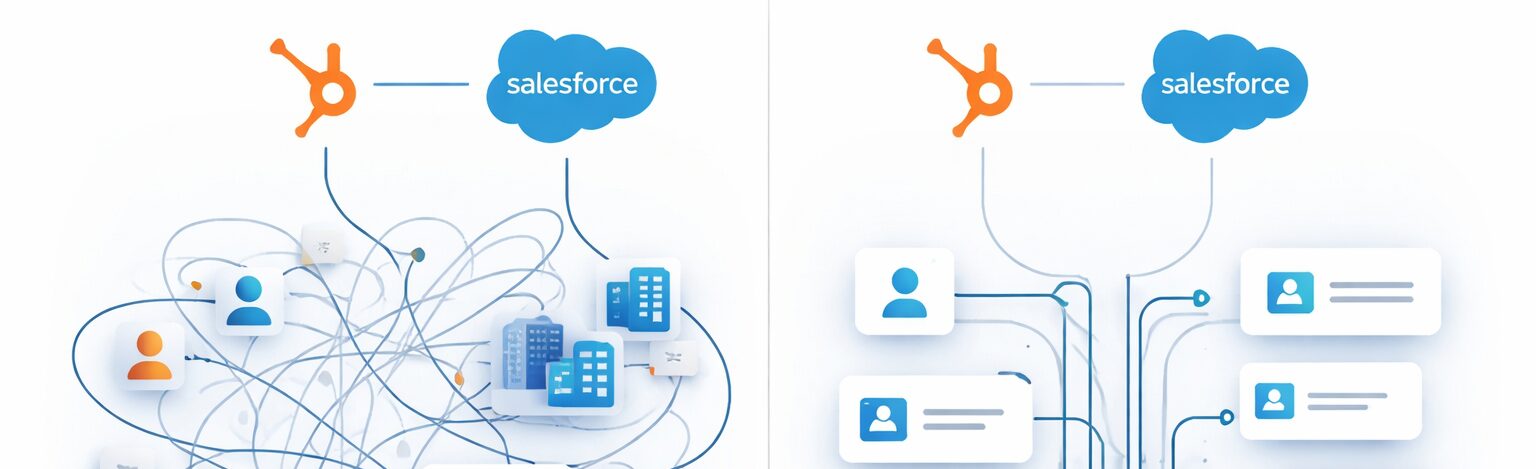
If you’ve ever heard someone say “I don’t trust the data in HubSpot” or “Salesforce is creating a mess for marketing”, chances are the problem isn’t the tools — it’s how the integration was set up.
A recent conversation in the MO Pros community perfectly captured the real-world pain teams face when working with HubSpot and Salesforce together — especially when an organization migrates Sales from HubSpot CRM to Salesforce.
From duplicate records to broken company data and uncontrolled syncs, these issues show up months later, when fixing them becomes expensive and disruptive.
From RightWave’s perspective, here’s what we’ve learned — and what we strongly recommend setting up before data starts flowing.
1. Always Use a Dedicated Integration User (This Is Non-Negotiable)
One of the most common mistakes we see:
The HubSpot–Salesforce integration is authenticated using a real person’s Salesforce user.
Why this backfires:
-
Permission changes break syncs unexpectedly
-
Auditing becomes impossible
-
Troubleshooting turns into guesswork
Best practice:
Create a dedicated Salesforce integration user with:
-
Its own profile
-
Its own role
-
Explicit permissions
This user becomes the gatekeeper of what data is even allowed to reach HubSpot.
If the integration user can’t see a record in Salesforce, HubSpot won’t sync it.
That’s not a limitation — that’s a feature.
2. Selective Sync Isn’t Optional — It’s a Safety Net
Many teams default to “sync everything and clean later.”
That approach almost always leads to regret.
Selective Sync allows you to:
-
Control which Salesforce records flow into HubSpot
-
Prevent junk, legacy, or partial data from polluting marketing
-
Reduce sync-related overwrites
But there’s a catch:
-
It requires Salesforce Enterprise
-
It requires deep Salesforce knowledge
-
HubSpot support doesn’t configure this for you
That’s why we recommend setting it up at day zero, not after damage is done.
3. Use an Inclusion List to Throttle Data Intelligently
Selective Sync controls visibility.
Inclusion Lists control volume.
Together, they let you answer critical questions:
-
Should all leads sync immediately?
-
Should only MQLs or Sales-ready records flow back?
-
What data should never touch HubSpot?
Think of Inclusion Lists as your traffic controller — especially important in high-volume Salesforce orgs.
4. The “Companies” Trap: One of HubSpot’s Most Painful Gotchas
This one surprises even experienced teams.
Once Companies start syncing from Salesforce:
-
HubSpot does not allow company merges
-
Duplicate companies pile up fast
-
Marketing loses clean account-level reporting
This usually happens because:
-
Salesforce Accounts aren’t deduplicated properly
-
Naming conventions aren’t standardized
-
The integration is allowed to create companies freely
Bottom line:
Account hygiene in Salesforce directly determines sanity in HubSpot.
5. Duplicate Contacts: Email Is the Only Truth HubSpot Trusts
HubSpot deduplicates contacts strictly by email address.
What this means in practice:
-
Two Salesforce records with different emails = two HubSpot contacts
-
Two Salesforce records with the same email = unpredictable overwrites
-
HubSpot syncs to whichever Salesforce record was updated last
If duplicates already exist in Salesforce:
-
Clean them before turning on sync
-
Identify which Salesforce record is actively syncing
-
Merge carefully — or risk breaking the integration
6. Leads vs Contacts: Choose Carefully (and Early)
If your Salesforce org uses Leads heavily, be cautious.
We’ve seen teams assume:
“HubSpot ↔ Salesforce is 1:1”
That’s rarely true when Leads are involved.
Without clear rules:
-
One HubSpot contact can bounce between Salesforce Leads and Contacts
-
Ownership, lifecycle stage, and attribution get messy
-
Reporting becomes unreliable
If you’re unsure — simplify first, then scale.
7. Think in Data Flow, Not Just Sync Settings
The most overlooked question in integrations:
When should data flow — and when shouldn’t it?
Ask upfront:
-
What data must always sync?
-
What data should sync only after qualification?
-
What data should never sync?
Good integrations aren’t “always on.”
They’re intentionally designed.
RightWave’s Take: Integrations Are Architecture, Not Checkboxes
We see HubSpot–Salesforce integrations fail not because teams lacked tools — but because they lacked governance.
At RightWave, we approach integrations like systems design:
-
Clear ownership
-
Controlled access
-
Intentional data flow
-
Long-term scalability
If you’re stepping into a new role, inheriting an integration, or planning a CRM transition — it’s worth slowing down before flipping the switch.
Because fixing bad data later always costs more than setting it up right the first time.